Cube of Tiny Dares: Building a Tiny AI Appliance for Getting Unstuck
A tiny AI appliance that gives builders one concrete action when they are stuck — no dashboard, no accounts, no productivity system. Just a playful cube with a Gradio app and a physical ESP32 companion.
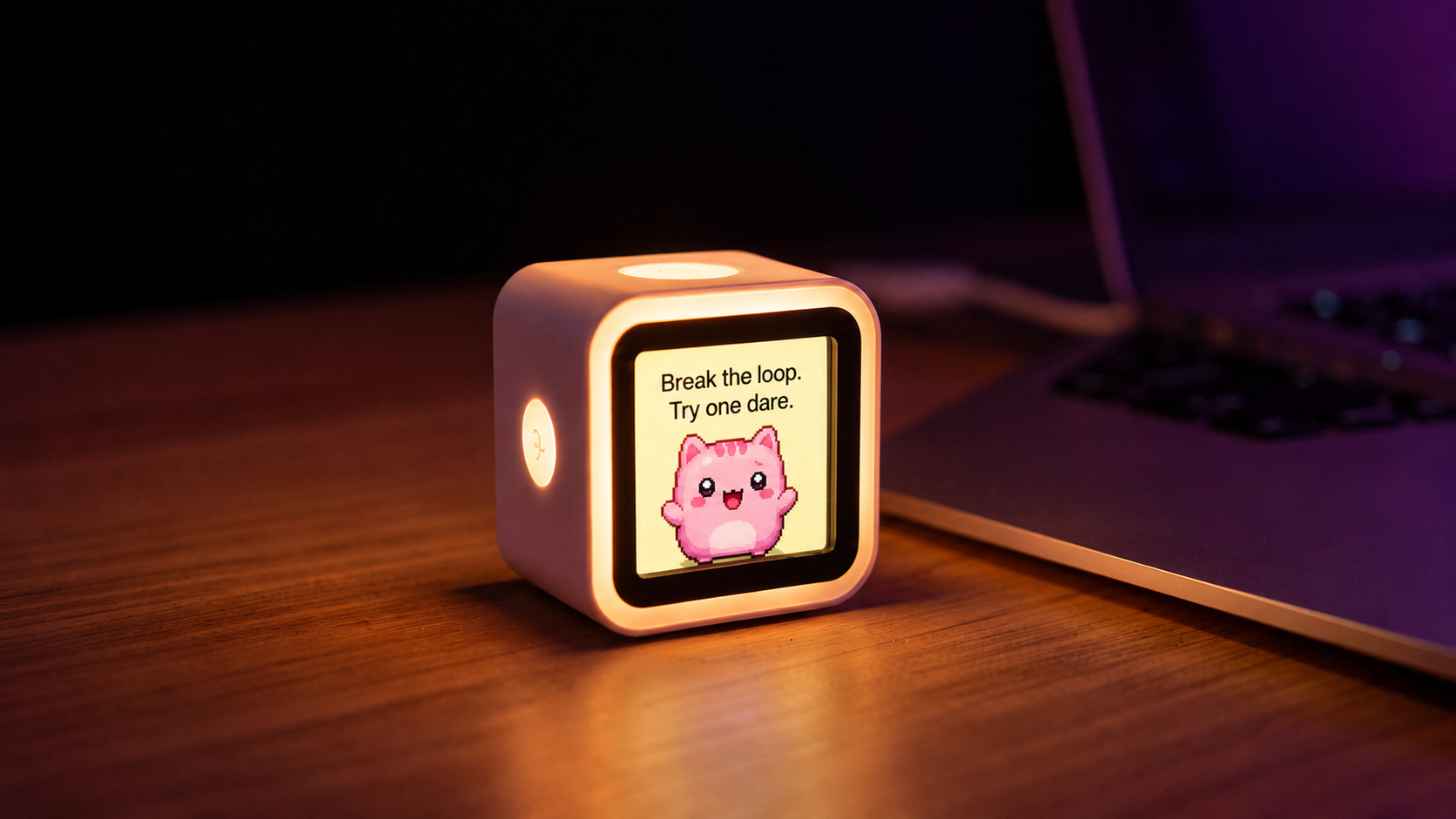
For the Hugging Face Build Small Hackathon, I built Cube of Tiny Dares: a tiny AI appliance that gives builders one concrete action when they are stuck.
Try it live: huggingface.co/spaces/build-small-hackathon/cube-of-tiny-dares > Source: github.com/jpatel98/cube-of-tiny-dares
The idea is intentionally small:
context -> tap -> one tiny dare -> move
No dashboard. No accounts. No task manager. No productivity system pretending to be helpful. Just a playful little cube that nudges you out of overthinking and into motion.
Try It Right Here
The Gradio app is embedded below. Type your loop and tap the cube:
The Problem
When building under pressure, especially during a hackathon, it is easy to get trapped in loops:
- researching models instead of choosing one
- adding features instead of finishing the demo
- debugging randomly instead of isolating the failure
- planning the "real version" before shipping the ugly version
- opening another tab instead of making one visible change
Most productivity tools respond to this by adding more structure: boards, tasks, dashboards, workflows, reminders.
I wanted the opposite.
What if the tool gave you exactly one next action?
What I Built
Cube of Tiny Dares has two surfaces:
- A Gradio web app hosted on Hugging Face Spaces.
- A physical ESP32 cube that taps the same
/api/dareendpoint and displays the dare on a tiny screen.
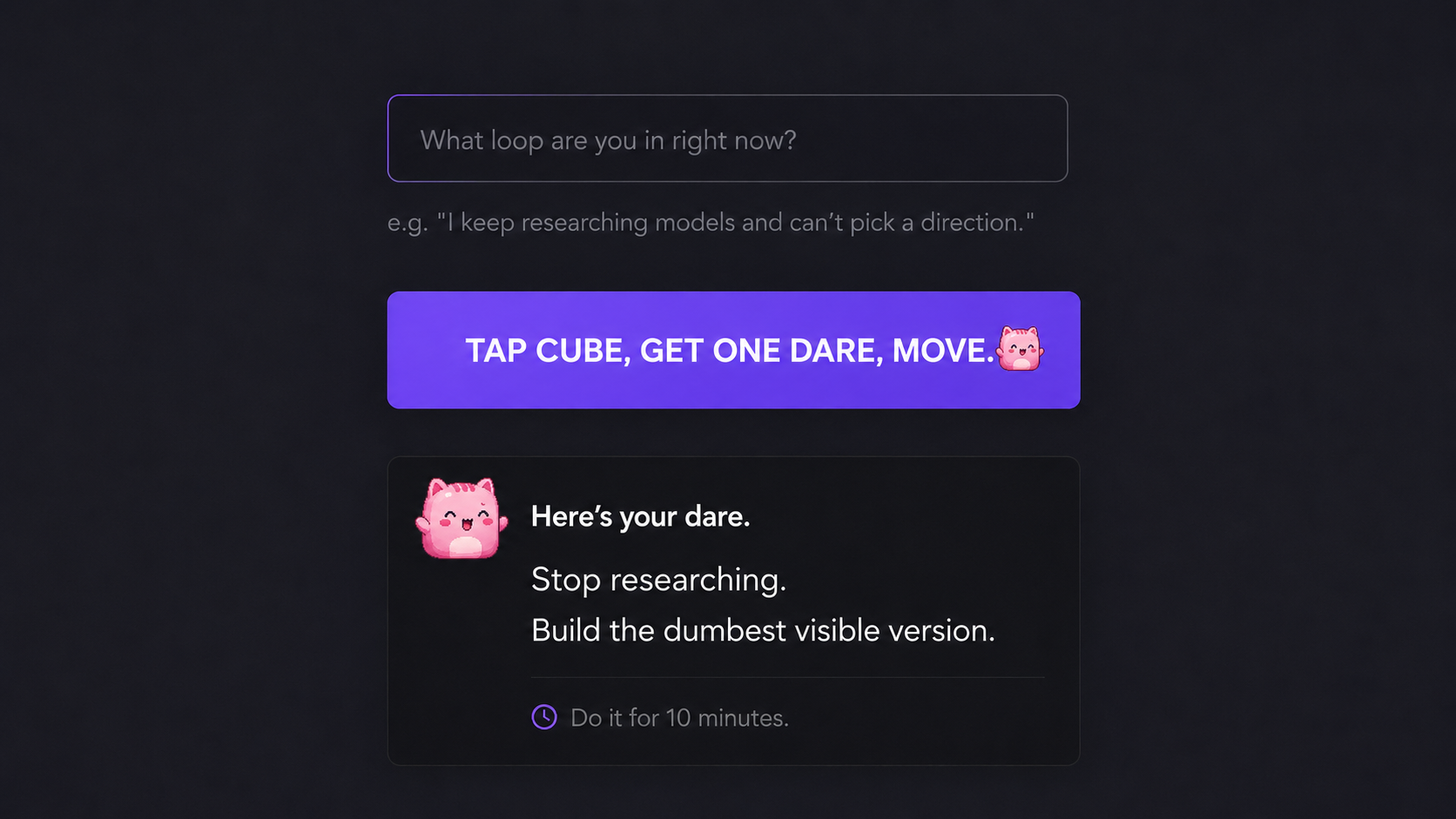
The web app asks:
What loop are you in right now?
Then one tap returns a tiny dare. Here are some real examples the model generates:
Research is infinite. Building is finite.
Scope creep kills demos.
Random changes are guessing.
Each dare includes a short reason, an emoji, a color, and a hardware-friendly payload for the cube.
Architecture: From Rules to Models
I started with a local rules-based dare engine. It was reliable, fast, and let me get the ESP32 path working immediately. But the dares were static — the same few responses rotated based on keywords.
The real value of an AI-powered dare is contextual freshness. A model can read your specific loop and generate a dare that actually fits your situation, not just a pre-written template.
So I moved the primary generation path to a Modal-hosted Cohere model (CohereLabs/c4ai-command-r7b-12-2024). The live flow:
Gradio app / ESP32
    -> POST /api/dare
    -> Modal-hosted Cohere model
    -> validated cube payload
    -> local fallback if Modal fails
The API returns generation metadata so you know when the model path is active:
{
  "generation": {
    "provider": "modal",
    "model": "CohereLabs/c4ai-command-r7b-12-2024",
    "fallback": false
  }
}
The local fallback stays in place so the cube never goes silent, but the intended experience is model-powered — fresh, contextual dares every time.
Hardware: The Tiny Cube
The physical part uses a Waveshare ESP32-S3 Touch LCD. I adapted an existing AgentGotchi firmware base, keeping the pet sprite and simplifying the UI so the device feels like a tiny AI object rather than a full app.

The sprite sheet shows the little companion that lives on the cube screen — a simple pet that reacts when you tap for a dare. The home screen reference shows how the UI elements layer:

The cube only needs a simple contract:
{
  "cube": {
    "display": "Pick one model and build it.",
    "color": "#32CD32",
    "timer_seconds": 600
  }
}
That separation mattered. The ESP32 does not call Gradio internals. It does not know about Modal. It just talks to /api/dare.
That made the system much easier to reason about.
What I Learned
The biggest lesson was that "small" does not mean "unfinished."
Small means the loop is sharp.
Every time I added something, I asked:
Does this help someone move, or does it turn the cube into another productivity app?
A few things I deliberately avoided:
- accounts
- dashboards
- task persistence
- chat history
- Notion integrations
- habit tracking
- broad coaching flows
The other lesson was that physical AI changes the feel of the product. A button on a small screen makes the interaction more intentional than another web form. The cube feels less like "software" and more like a tiny object interrupting your spiral.
The Hard Parts
The hardware UI took real iteration. Early versions were too busy: overlapping text, extra timer UI, too much visual clutter. I simplified it down to four elements:
- title
- pet sprite
- dare text
- accent color
The Modal/Cohere path also took work — gated model access, Transformers compatibility, model loading, JSON extraction, and timeout handling between the Space and Modal. The final version keeps a local fallback so the demo does not collapse if the model is slow or unavailable.
Links & Resources
Try it on Hugging Face Spaces
GitHub repository with full code
The hackathon that inspired it
Serverless GPU hosting
Cube of Tiny Dares is not trying to be a general assistant. It solves one small, real problem:
I am stuck in a builder loop and need one tiny push.
That is the whole product.
The best version of this project is not bigger. It is sharper.
Tap the cube. Get one tiny dare. Move.