I Built a Game You Can Walk Through, From a Data Center to an Atom
Compute Atlas started as a scrolling 3D explainer. It became a first-person browser game where you open a server, shrink into a GPU, and keep exploring down to a silicon lattice.
What if understanding a computer meant walking inside it?
That was the idea behind Compute Atlas. Start in a data center. Walk up to a rack. Open it, pull out a compute tray, and shrink until the hardware becomes the landscape around you. Then do it again: into a GPU package, into memory, into a single memory cell, and finally into a silicon lattice.
I built it with Codex as a first-person browser exploration game. The current version has six connected environments, hardware you can open, a field guide, and controls for both a keyboard and a touchscreen.
It started with scrolling
The first idea was a website that revealed the layers of a data center as you scrolled. A building would give way to a GPU, then memory, then smaller structures.
But there was a specific feeling I wanted: zooming into something that was already there. If one object disappeared and a new one appeared, the experience felt like a sequence of illustrations. I wanted the connection between the scales to remain visible.
That led to the next question. If you can move into the object, why limit the movement to scrolling?
The project became a game when the camera became a player. Instead of following a fixed presentation, you could walk around the facility, inspect equipment, step outside into the service yard, and decide when to descend into the next world. The original scroll exhibit still exists, but the main experience now starts with Enter the data center.
A rack becomes a doorway
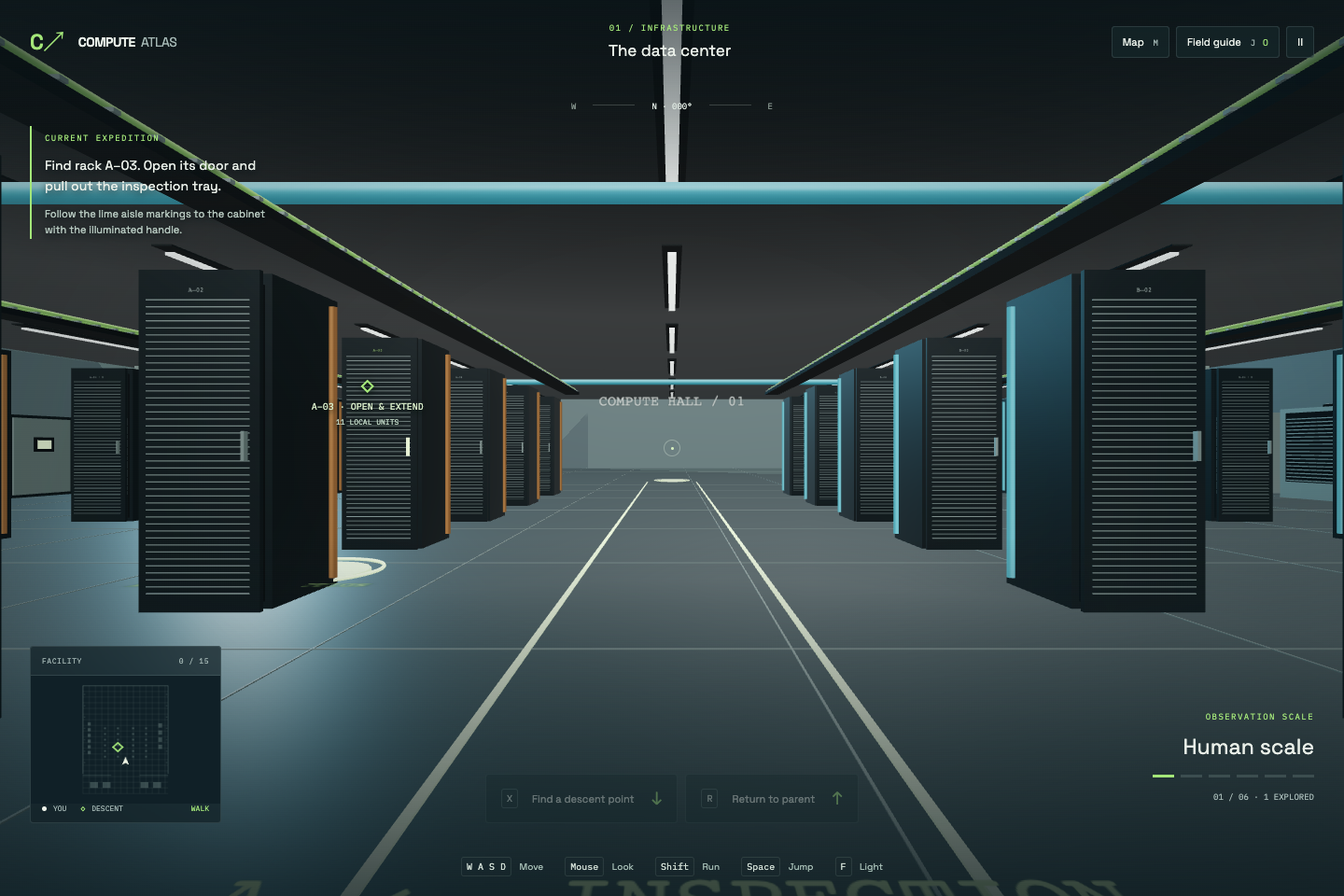
The first objective is deliberately concrete: find rack A–03, open its door, and extend the inspection tray.
This gives the player a reason to look closely. The rack is an object you can manipulate before it becomes an entrance. The facility also includes power distribution, cooling equipment, network hardware, and overhead cable routes, so the processor has a visible context.
On the compute tray, the next step is to lift the cold plate on GPU 01. Shrink again and the package becomes a place to explore on foot.
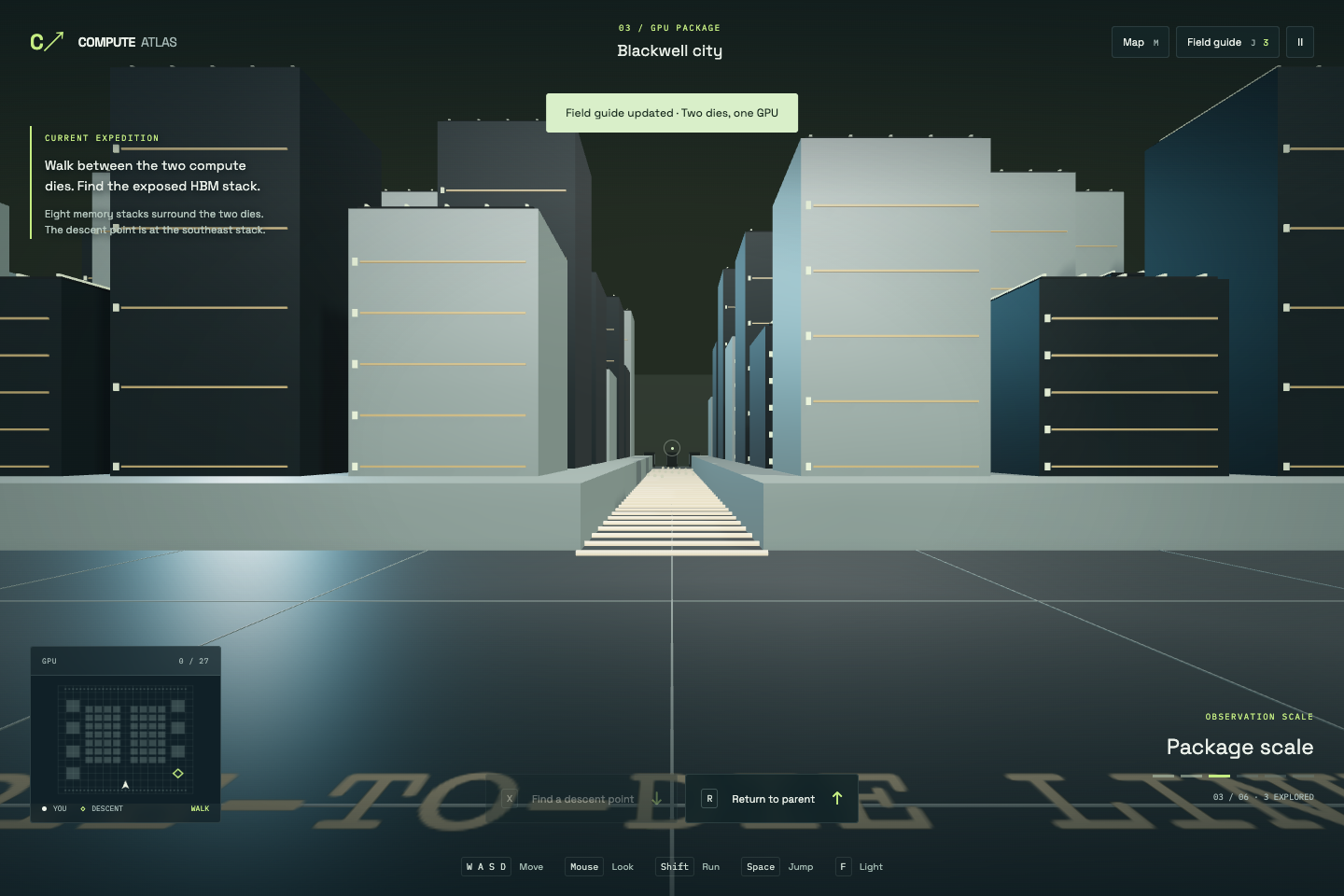
The model uses two compute-die districts and surrounding high-bandwidth memory positions. The two-die arrangement reflects the data-center Blackwell architecture described by NVIDIA. The navigable city around it is an illustration built for this experience.
That distinction matters. A detailed model can look authoritative even when its dimensions and layout have been invented for navigation. I wanted the game to explain those choices rather than let visual detail imply manufacturing accuracy.
From a city to a single bit
The next descent enters the memory terraces: repeated arrays, an exposed stack, and vertical connections between layers. The game represents an eight-layer HBM example; Micron's HBM3E range includes both eight-high and twelve-high products.
From there, the player enters a schematic DRAM cell. This is where the game shifts from showing structure to demonstrating behavior. A terminal lets you operate the access gate and watch the storage capacitor charge and hold a state.
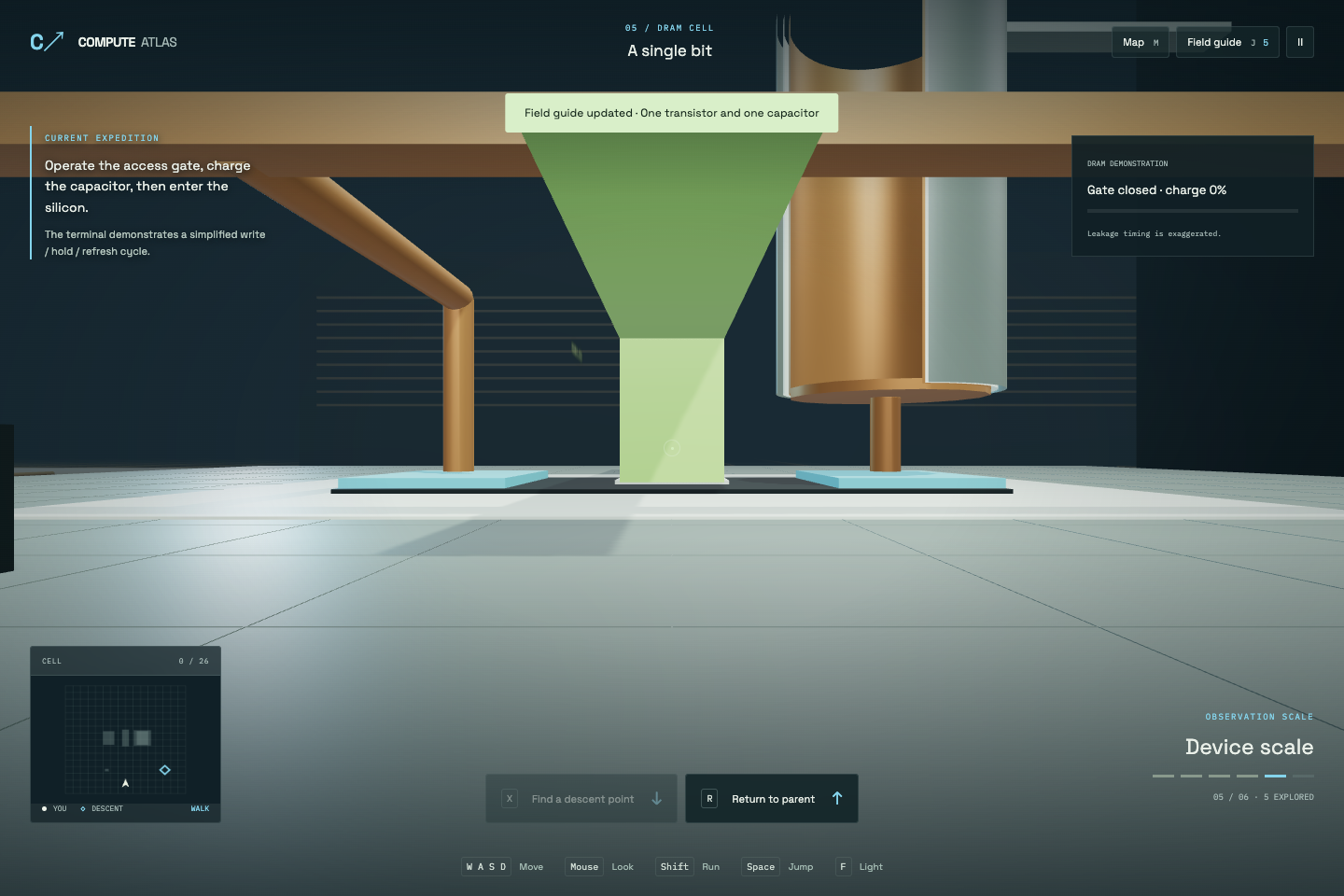
The demonstration is not a circuit simulator. It uses an educational transistor-and-capacitor model, with exaggerated leakage and visible signals. Those signals help explain what is happening; they do not represent individual electrons moving at their actual speed.
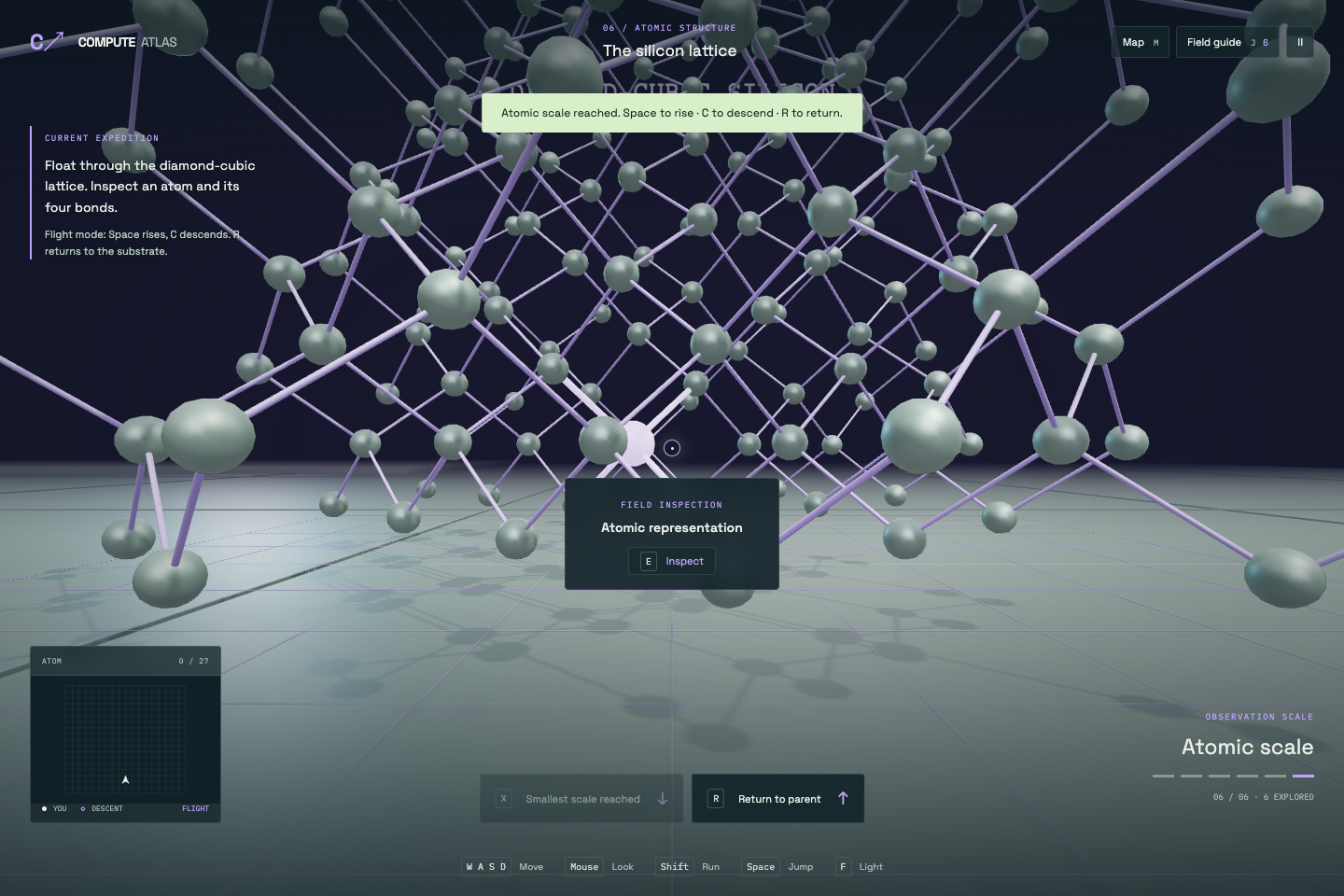
The final descent enters the silicon lattice. Walking gives way to flight, letting the player move through the atomic positions and inspect the highlighted bonds around an interior atom.
Making the worlds stay connected
The game environments are generated procedurally in JavaScript with Three.js. The earlier Blender illustration belongs to the original exhibit; the playable worlds have their own geometry, interactions, and collision volumes.
Each world sits inside its parent at a fixed relative scale. During a descent, the renderer changes scale smoothly and shifts the coordinate origin to keep the nearby scene numerically manageable. The compute-tray world also follows the tray when it moves.
The purpose of that machinery is simple: the place you enter should remain connected to the object you opened. Returning should bring you back to the point where you left the larger world.
The player controller adds collision, jumping, nearby interaction prompts, and return travel. A map provides visited checkpoints, while the field guide collects explanations and source links. Progress is saved in the browser, so there is no account setup, but saves do not sync across devices.
A phone needs its own controls
A first-person game asks for movement and camera control at the same time. On a phone, both have to share the screen with the world and its interface.
The mobile pass uses a left thumbstick for movement and dragging on the right to look around. Contextual buttons handle opening hardware and changing scale. The layout makes room for those controls in both portrait and landscape, including small screens.
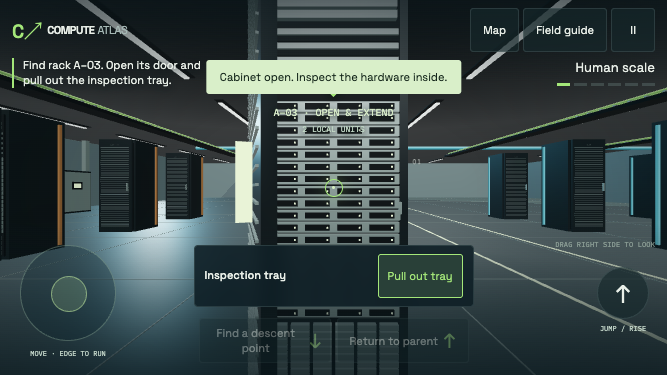
Testing covered small phone viewports, simultaneous movement and looking, touch cancellation, and rotation. Those checks used Chromium touch emulation, not a physical iPhone or Safari. Desktop movement and the full six-scale journey were also checked after the mobile changes.
Try the descent
Compute Atlas is an exploration game and an educational model. It does not reproduce a complete data center's operation or a proprietary semiconductor process. Its strongest idea is the relationship between the scales: a room contains a rack, a rack contains a tray, and something small enough to fit on that tray can become an entire world to explore.
Open Compute Atlas, choose Enter the data center, and look for rack A–03. On desktop, use WASD to move, the mouse to look, and E to interact. Follow the descent markers and use X to shrink when a route is unlocked. On a phone, use the on-screen controls.
Start with a server door. See how far inside you can go.